




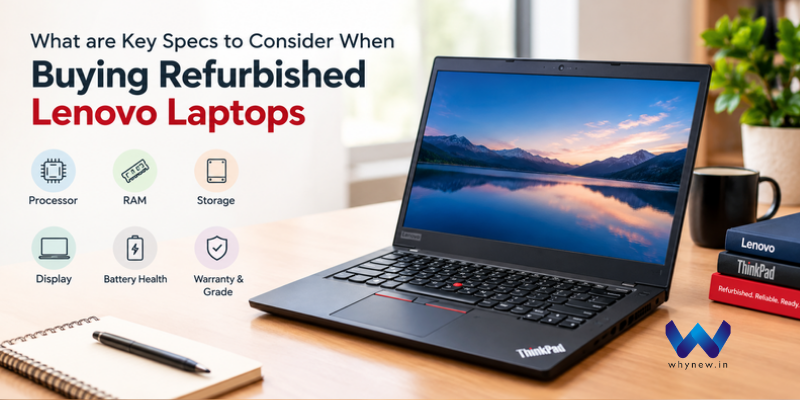
What Are the Key Specs to Consider When Buying Refurbished Lenovo Laptops?
Buying a refurbished Lenovo laptop can be a smart choice for students, working professionals, business owners, and everyday users who want reliable performance at an affordable price. However, before making a purchase, it is important to understand the specifications that influence speed, usability, durability, and overall value.
Whether you are considering a Lenovo ThinkPad for office work or a versatile laptop for studying, comparing the right features will help you choose from the available refurbished laptops with confidence. Here are the key specifications to check before buying.
1. Processor: Check Performance and Generation
The processor determines how efficiently your laptop handles everyday tasks. For browsing, online classes, and office applications, an Intel Core i3 or equivalent processor may be sufficient. For programming, multitasking, and demanding professional workloads, consider an Intel Core i5, Core i7, or a comparable AMD Ryzen processor.
Always check the processor generation and exact model rather than relying only on the Core i5 or Core i7 label. A newer or more suitable processor can offer better performance and efficiency.
2. RAM: Ensure Smooth Multitasking
RAM affects how many applications your laptop can run smoothly at the same time. For basic tasks, 8GB RAM is a practical starting point. If you regularly use programming tools, large spreadsheets, or multiple professional applications, 16GB RAM can provide a more comfortable experience.
Before purchasing refurbished laptops, check whether the RAM is upgradeable and whether the installed configuration meets your future requirements.
3. Storage: Choose an SSD
Storage affects boot time, application loading, and file access. An SSD is generally preferable to a traditional HDD because it offers faster everyday performance.
A 256GB SSD can be sufficient for regular office and student use, while 512GB or more may suit users who store large files, software, or project data. Confirm the storage capacity and upgrade options before making your decision.
4. Display: Consider Size and Resolution
The display influences comfort during long working sessions. A 14-inch laptop is often convenient for portability, while a 15.6-inch screen provides more viewing space.
Look for Full HD resolution (1920 × 1080) if your budget allows. Also inspect the refurbished laptop for dead pixels, unusual discoloration, screen flickering, and scratches that may affect usability.
5. Battery Health and Physical Condition
Battery performance can vary depending on the laptop’s age and previous usage. Ask about battery health, expected backup time, and replacement options. Inspect the keyboard, touchpad, hinges, ports, webcam, speakers, and charger as well.
A laptop that looks clean should still undergo proper functional testing before purchase.
6. Warranty, Testing, and Seller Reliability
Check whether the laptop comes with a warranty, a clear return policy, and documented quality checks. Verify its condition grade and confirm that Wi-Fi, Bluetooth, USB ports, and other essential components work properly.
Platforms such as whynew.in can be considered when comparing refurbished laptop options. Review the specifications, warranty terms, and available support carefully before placing an order.
Author Bio: Sahana is a technical writer who focuses on writing about cutting-edge technologies like cybersecurity, software engineering, artificial intelligence, data science, and cloud computing.



Leave a comment